Troubleshoot Documentation
Autoreduction
The autoreduction system is a complex system that can fail for many reasons. This section provides a list of common issues and their solutions.
The general entry point for an autoreduction fail is a reported error in monitor.sns.gov.
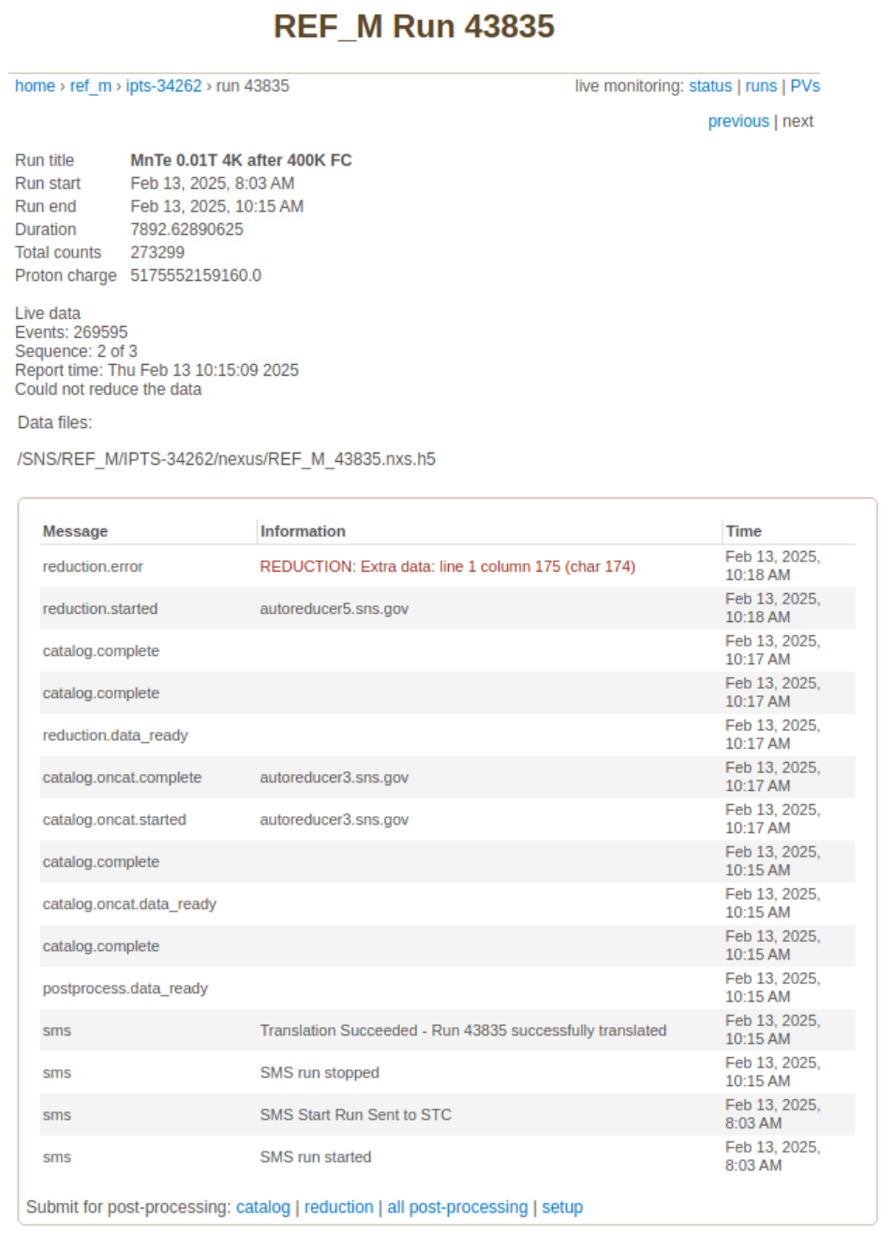
Usually, the error message is very succinct or is trimmed. For the complete error trace, look at the error log file
/SNS/REF_M/IPTS-XXXX/shared/autoreduce/reduction_log/REF_M_YYYYY.nxs.h5.err
This file, along with its .log counterpart, is created for each autoreduction run by the post_processing_agent.
One can try to manually re-run the autoreduction script with the same arguments to see if the error is reproducible. For instance, to reduce run 43834, save all output to a temporary directory, and prevent the HTML report to be uploaded to the livedata server, run:
(base)> cd /SNS/REF_M/shared/autoreduce/
(base)> mkdir test_20250123
(base)> cp reduce_REF_M.py test_20250123/
(base)> cd test_20250123/
(base)> mkdir output
(base)> conda activate mr_reduction  # or mr_reduction-dev
(mr_reduction)> python reduce_REF_M.py /SNS/REF_M/IPTS-34262/nexus/REF_M_43834.nxs.h5 ./output --report_file REF_M_43834.html --no_publish
For an explanation of the autoreduction script arguments, type:
(mr_reduction)> python reduce_REF_M.py --help
If a debugging session proves necessary, you can use an IDE like PyCharm or VSCode to run the autoreduction script while having the ability to set breakpoints whithin the modules of package mr_reduction, even if you have read-only access. This is the scenario if debugging in one of the analysis machines with conda environment /opt/anaconda/envs/mr_reduction-dev/lib/python3.10/site-packages/mr_reduction. Alternatively, you can set up your own mr_reduction conda environment in your home directory so that you can edit the modules and introduce pdb.set_trace() statements.